

Play Connect Words 2026 online, link letters into words, fill crossword grids, find bonus words, use hints, and clear 1,500+ word puzzles.
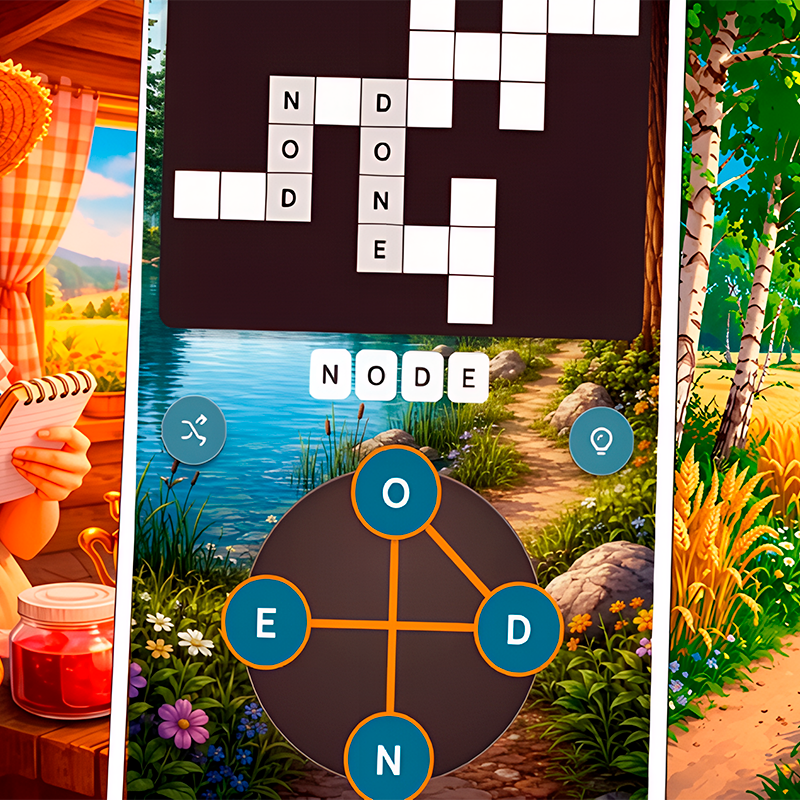
Here's a quick look at the game:
Connect Words 2026 is a word puzzle game built around connecting letters to create valid words and using those words to complete crossword-style grids. You trace through letters arranged in a wheel, discover the required answers, collect bonus words, and work through more than 1,500 levels without a strict time limit.
What Is Connect Words 2026?
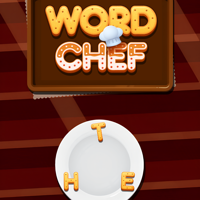
Connect Words 2026 combines classic word-connect mechanics with crossword-style puzzle solving. At the bottom of the screen, you are given a group of letters. Your job is to connect those letters in the correct order to form words.
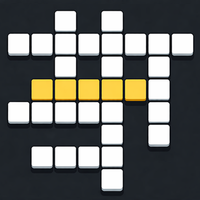
When you discover one of the required words, it automatically fills its matching spaces in the crossword grid. Because several answers can cross each other, every completed word can reveal useful letters for the words you have not found yet.
Connect Words 2026 also includes more than one type of word challenge across its large level collection. The main focus remains vocabulary and word discovery, with puzzles designed around finding hidden words, arranging letters, and completing increasingly complicated boards.
There is no need to race a countdown. You can examine the available letters, test possibilities, and search for less obvious combinations at your own pace.
Game Overview
| Game Detail | Information |
|---|---|
| Genre | Word puzzle, crossword, brain game |
| Main objective | Connect letters to form words and complete the grid |
| Levels | 1,500+ |
| Players | Single player |
| Main input | Mouse or touchscreen |
| Core mechanic | Swipe or drag through letters |
| Bonus words | Yes |
| Hints | Available through the light bulb button |
| Time limit | No strict time pressure |
| Platforms | Desktop and mobile browsers |
| Orientation | Portrait |
| Languages | Includes English and several other languages |
| Developer | Not clearly listed consistently |
| Release | 2026 |
How to Play Connect Words 2026
The basic Connect Words 2026 loop is easy to learn. You receive a wheel containing several letters and an incomplete crossword grid above it. Every empty section of the crossword represents a word that can be created from the letters in the wheel.
To make a word, drag across the letters in order. On a touchscreen, simply swipe your finger from one letter to the next. If the word belongs in the current crossword, the game places it into the grid automatically.
You continue finding words until every required space is complete.
Start With the Obvious Words
When a Connect Words 2026 level begins, scan the letter wheel before randomly swiping.
Look for common short words first. A four-letter answer may be much easier to recognize than a longer word using nearly every available letter. Filling the easy answers gives you letters in the crossword intersections, which can expose the structure of the harder solutions.
For example, knowing the first and third letters of an unfinished word can reduce dozens of possible answers to only a few.
Connect Letters in the Correct Order
You are not simply selecting a collection of letters. The path you make must spell a valid word in the proper order.
Start on the first letter, hold your mouse button or finger down, and move through the remaining letters. Release when the word is complete.
Connect Words 2026 checks the result immediately. Valid puzzle answers fill the crossword, while some other valid words can be treated as bonus discoveries rather than main-grid solutions.
Use the Crossword as a Clue
The crossword grid is more than a place to display completed answers.
Every intersection gives you information. If a vertical word places an A inside an unfinished horizontal answer, you now know that the horizontal word must contain A in that exact position.
This becomes increasingly important as Connect Words 2026 moves beyond simple letter sets. Instead of trying every possible combination, use the partially completed grid to predict word patterns.
A six-letter answer displayed as _ A _ _ E _, for example, is much easier to solve than an entirely blank six-letter word.
Bonus Words
One useful part of Connect Words 2026 is that the required crossword answers are not necessarily the only valid words you can create.
If you discover a real word that is not part of the current grid, the game can record it as a bonus word. These extra discoveries provide an additional reason to experiment with the letters instead of stopping as soon as you spot the most obvious answers.
This changes the way you can approach a level. Sometimes you may see several short words immediately even though only one belongs to the crossword. Trying the others can still contribute to your overall progress or rewards.
For players who enjoy vocabulary hunting, bonus words make Connect Words 2026 less restrictive than a puzzle where every non-required answer is simply rejected.
Progression and Puzzle Rewards
Connect Words 2026 contains more than 1,500 levels, so the difficulty has room to increase gradually.
Earlier boards use simpler combinations that help you learn how the letter wheel and crossword interact. Later challenges introduce larger word possibilities, including configurations that can reach seven letters.
The game also includes a broader progression layer involving collected resources and decorative or thematic content. Completing puzzles and finding additional words contributes to that progression rather than making each crossword feel completely isolated.
The exact puzzle remains the main challenge, however. You still progress primarily by recognizing valid vocabulary and clearing each board.
Controls
Connect Words 2026 uses simple mouse and touchscreen controls.
| Action | Control |
|---|---|
| Start a word | Click/tap a letter |
| Connect letters | Drag or swipe through letters |
| Submit a word | Release after connecting the final letter |
| Use a hint | Click or tap the light bulb |
| Menu interaction | Click or tap |
| Mobile play | Touchscreen swipe |
You do not need WASD, arrow keys, or other movement controls. Nearly every important action in Connect Words 2026 is performed directly on the letter wheel or puzzle interface.
Hints in Connect Words 2026
A light bulb button provides help when you cannot find one of the remaining answers.
Hints are especially useful after most of a crossword is complete. If only one difficult word remains, assistance can reveal enough information to break the deadlock.
Before using a hint in Connect Words 2026, check the crossword intersections again. Players often overlook a newly revealed letter after completing another answer.
It is also worth rearranging the letters mentally. Looking at the same circular arrangement for too long can make you repeatedly notice the same words while missing a simple alternative.
Tips for Connect Words 2026
1. Find Short Words First
Do not assume the longest answer should be solved first.
Three-, four-, and five-letter combinations are usually easier to recognize. Each one you complete adds letters to other answers in the crossword, making the remaining Connect Words 2026 puzzle easier.
2. Check Common Word Endings
If you know several letters in an unfinished answer, look for familiar English structures.
Endings such as -ER, -ING, -ED, -LY, -ES, or -S can quickly suggest possibilities when the required letters are available.
Do not force a suffix that does not fit, but use common patterns as a starting point.
3. Search for Anagrams
The same letters can often create several different words.
If you already made one word from a group such as A, R, E, and T, do not assume those letters have been exhausted. Rearranging them may produce another required answer or a bonus word.
Anagram awareness becomes increasingly useful in later Connect Words 2026 levels.
4. Use Crossword Intersections Before Guessing
Suppose you need a five-letter answer but have ten possibilities in mind. If two positions are already filled by crossing words, you can eliminate most of those possibilities immediately.
Treat every revealed letter as a constraint.
This is much faster than continuously drawing random paths through the letter wheel.
5. Try Valid Words Even If They Do Not Fit the Grid
Connect Words 2026 tracks bonus words, so discovering an extra valid combination is not necessarily wasted effort.
If you notice a legitimate word while searching for another solution, try it. You may add it to the bonus collection even though it does not occupy a crossword slot.
6. Look for Different Word Lengths
It is easy to become fixated on using every letter.
Some answers may use only part of the wheel. Check how many spaces are available in the crossword and search specifically for words of that length.
A level with six letters in the wheel can still contain several shorter answers.
7. Use Hints After Narrowing the Puzzle
A hint is most effective when you already know most of the board.
First complete everything you can recognize naturally. Then use the light bulb when one stubborn answer is preventing you from finishing the level.
8. Stop Repeating the Same Letter Order
If you keep seeing the same incorrect possibilities, change your starting point.
Pick a different letter on the wheel and build outward from there. This simple habit can expose words that were difficult to notice when you always began with the same character.
Why the Crossword Grid Matters
The strongest element of Connect Words 2026 is the combination of two familiar puzzle ideas: anagrams and crosswords.
A normal anagram puzzle asks you to create a word from shuffled letters. A crossword gives you positional clues from intersecting answers. Connect Words 2026 combines both systems.
At the beginning of a level, the letter wheel gives you the vocabulary problem. As you solve more words, the crossword gradually converts that open-ended challenge into a constrained one.
This produces a natural difficulty curve within individual levels. The first answer may require free-form experimentation, while the final answer may be almost completely revealed by its intersections.
No Time Pressure
Connect Words 2026 does not depend on rapid reactions or a constantly running timer.
That gives you room to experiment with vocabulary rather than rushing through every board. You can pause to search mentally for anagrams, inspect the crossword structure, and reconsider the letter wheel before making another attempt.
This makes the game particularly suitable for players who enjoy methodical word puzzles rather than competitive speed challenges.
Can You Play Connect Words 2026 Online?
Yes. Connect Words 2026 can run directly in a modern web browser on desktop and compatible mobile devices.
You do not need to install the browser version before starting a puzzle. The touchscreen-compatible interface also makes the letter-connecting mechanic well suited to phones and tablets: press a letter and swipe across the rest of the word.
On desktop, the same action is performed with the mouse.
Because Connect Words 2026 uses a portrait-oriented layout, the board also fits naturally on mobile screens.
Who Should Play Connect Words 2026?
Connect Words 2026 is aimed at players who enjoy word searches, anagrams, crosswords, spelling puzzles, and vocabulary games.
You do not need fast reflexes. Your main tools are word recognition, pattern matching, and the ability to rearrange the same letters into different combinations.
It also works well for short play sessions because each level is a self-contained puzzle. You can clear a few boards and stop, or continue through a longer series of levels when you want a more extended word challenge.
The bonus-word system gives experienced word-game players an additional goal, while hints make Connect Words 2026 more approachable when a particular vocabulary combination is difficult to see.
Why Players Keep Playing
Connect Words 2026 creates a simple but effective progression loop. At first you stare at a small group of letters and an empty crossword. Each discovered word fills part of the board, exposes new letters, and makes another answer easier to identify.
Bonus words encourage experimentation, while more than 1,500 levels provide plenty of opportunities to encounter new letter combinations.
Most importantly, the controls stay consistent. The challenge comes from your vocabulary and ability to recognize patterns rather than from learning new commands.
That makes Connect Words 2026 easy to start but increasingly demanding when longer and less obvious words begin appearing.
FAQ
What is Connect Words 2026?
Connect Words 2026 is a single-player word puzzle where you connect letters to create valid words and fill a crossword-style grid.
How do you play Connect Words 2026?
Drag or swipe through letters in the correct order to create words, then complete every required answer in the crossword.
Does Connect Words 2026 have a time limit?
The main word-solving gameplay is designed without strict time pressure, so you can work through the puzzles at your own pace.
How many levels are in Connect Words 2026?
Connect Words 2026 features more than 1,500 levels across its collection of word challenges.
Can I play Connect Words 2026 on mobile?
Yes. Connect Words 2026 supports touchscreen play on compatible mobile browsers as well as mouse controls on desktop.
What happens if I find a word that is not in the crossword?
Valid words that are not required for the current grid can be recorded as bonus words and contribute to additional rewards.
Does Connect Words 2026 have hints?
Yes. You can use the light bulb hint option when you cannot find a required word.
Is Connect Words 2026 multiplayer?
No confirmed multiplayer mode is listed; Connect Words 2026 is presented as a single-player word puzzle.