





Hexa Word is a timed word puzzle where you form words from letters on a hexagonal board using tap or drag controls to build a high score.
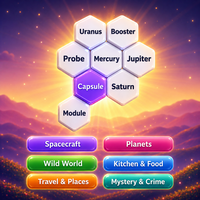
Here's a quick look at the game:
What Is Hexa Word?
Hexa Word is a browser-based word puzzle that challenges you to create valid words from letters arranged on a hexagonal grid. You score points for the words you find while working against a timer that resets whenever you successfully submit a word.
The basic idea is simple, but the pressure increases as you continue. Longer and more difficult words can earn more points, while the timer becomes harder to manage as the game progresses. Finding words quickly is therefore just as important as having a large vocabulary.
You can play using two different input styles: Tap Letter and Connect Letter. Each changes how you are allowed to build words and requires a slightly different strategy.
How to Play Hexa Word
Start by looking across the letter tiles for words you can form. Once you identify one, select its letters using the controls for your chosen mode.
A successful word adds to your score and resets the timer. Keep finding words before the timer bar empties. When you can no longer find useful combinations on the current board, you can refresh the grid and continue searching.
Your run ends when the timer reaches zero.
Watch the Timer
The timer is tied directly to your word-making rhythm. Each valid word gives you another chance to continue, so you should avoid spending too long searching for a perfect high-scoring word.
As the game continues, the timer becomes faster. This makes quick decisions increasingly important during the later part of a run.
Build Your Score
Words are worth different amounts of points, with longer or more difficult words generally rewarding you with more points.
However, score value is not the only consideration. A short word that keeps your timer alive can be more useful than a long word that takes too much time to find.
Game Modes
Tap Letter
In Tap Letter mode, you click or tap individual letters to assemble a word. The selected letters do not need to be connected in the same way as they do in Connect Letter mode.
After choosing the letters, use the check button to submit the completed word. An eraser option lets you clear your current selection if you make a mistake.
This mode is a good place to start because it gives you more freedom when choosing letters.
Connect Letter
Connect Letter mode requires you to drag across adjacent letters in the correct order.
Letters can be connected horizontally, vertically, or diagonally, but each new letter must be beside the previous one. This restriction makes board positioning much more important.
Before starting a drag, trace the entire word with your eyes. Discovering halfway through that the next required letter is not adjacent can waste valuable time.
Board Options
Hexa Word includes different ways to set up a game. Quick Play changes the grid as you progress, while the selectable board options let you play with different field sizes.
Available board sizes include:
- 7 tiles
- 19 tiles
- 37 tiles
Larger grids give you more letters to examine, which can create more word possibilities but also makes scanning the board more demanding.
Controls
| Action | PC | Mobile |
|---|---|---|
| Select a letter | Left click | Tap |
| Connect letters | Click and drag | Tap and swipe |
| Submit a word in Tap Letter mode | Click the check button | Tap the check button |
| Clear selected letters | Click the eraser | Tap the eraser |
| Generate another grid | Click the refresh button | Tap the refresh button |
Most of the game is controlled directly through the letter tiles, so there are no complicated keyboard commands to learn.
Tips for Getting a Higher Score
Use Short Words to Protect Your Timer
Do not ignore easy three- or four-letter words. When the timer is nearly empty, quickly submitting a short valid word can reset it and keep your run going.
Saving a few obvious words for later can also give you emergency options when the timer begins moving faster.
Search for Longer Words Early
The opening part of a run gives you more breathing room. Use that time to identify longer combinations while you can afford to study the board.
Later, shift toward faster words when maintaining the timer becomes more important.
Check for Plurals
If the board contains an S, look for words that can be turned into plurals. A singular and plural form may give you additional scoring opportunities, particularly in Tap Letter mode.
Do not use every obvious variation immediately if you already have plenty of time. Keeping an easy word available can help later.
Plan the Path in Connect Letter Mode
Finding the letters of a word is not enough in Connect Letter mode. They also need to form a continuous path across neighboring hexagons.
Check the route before dragging, especially for longer words. Shorter connected words are often more dependable when the timer is low.
Refresh When the Board Stops Working
If you spend too much time staring at the same letters without finding anything, use the refresh option. A new arrangement may reveal words much faster than continuing to search an unproductive grid.
The key to Hexa Word is balancing word length, speed, and timer management. Build larger words when the opportunity is clear, but keep finding reliable shorter words so your run does not end while you search for something better.