






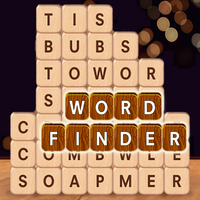
Word Finder is a themed word puzzle where you swipe letters into hidden words while the grid shifts after every successful match.
Here's a quick look at the game:
Word Finder is a browser-based word puzzle where you connect neighboring letters to uncover hidden words linked to a theme. The key twist is that the letter grid changes after each successful word, so you need to search the board again instead of relying on a fixed layout.
What Is Word Finder?
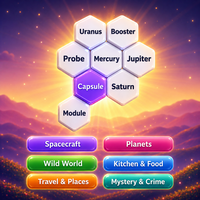
Word Finder combines word searching, vocabulary recognition, and a shifting-tile puzzle mechanic. Each level gives you a theme or clue plus a grid filled with letters. Your objective is to find all of the required words by dragging through their letters in the correct order.
A level might use a theme such as animals, food, or emotions. If the clue points to a zoo, for example, you can start thinking about animal names before you even inspect every letter.
The unusual part of Word Finder happens after you complete a word. The used letters disappear and the remaining tiles shift into a new arrangement. That movement can create completely different paths between letters, so a word that seemed impossible to form earlier may become available after another answer is removed.
You clear the level after finding all of its required words.
Game Overview
| Feature | Details |
|---|---|
| Game | Word Finder |
| Developer | Anna Inc |
| Genre | Word / Puzzle / Educational |
| Main Objective | Find all themed words hidden in the letter grid |
| Main Mechanic | Tiles shift after each completed word |
| Levels | 6,000+ |
| Progression | Chapter-based levels and rewards |
| Themes | Categories such as animals, food, and emotions |
| Bonus Words | Available |
| Power-Ups | Spyglass, Light Bulb, Shuffle |
| Shuffle Cost | 50 coins |
| Platforms | PC, Android, iOS browser play |
| Orientation | Landscape and portrait |
| Language | English |
| Release | February 2026 |
| Multiplayer | Not clearly listed |
Word Finder can be played directly in a browser, so the main controls work with either a mouse or a touchscreen.
How to Play Word Finder
The basic task is to connect letters into valid words, but the changing board makes the order of your discoveries important.
Read the Theme
Start by checking the clue or category for the current puzzle.
Themes give you a major advantage because they narrow the possible vocabulary. If the level is about emotions, words such as HAPPY or ANGRY become more likely than random objects or place names.
Use the theme as a filter before you begin swiping.
Connect Letters in Order
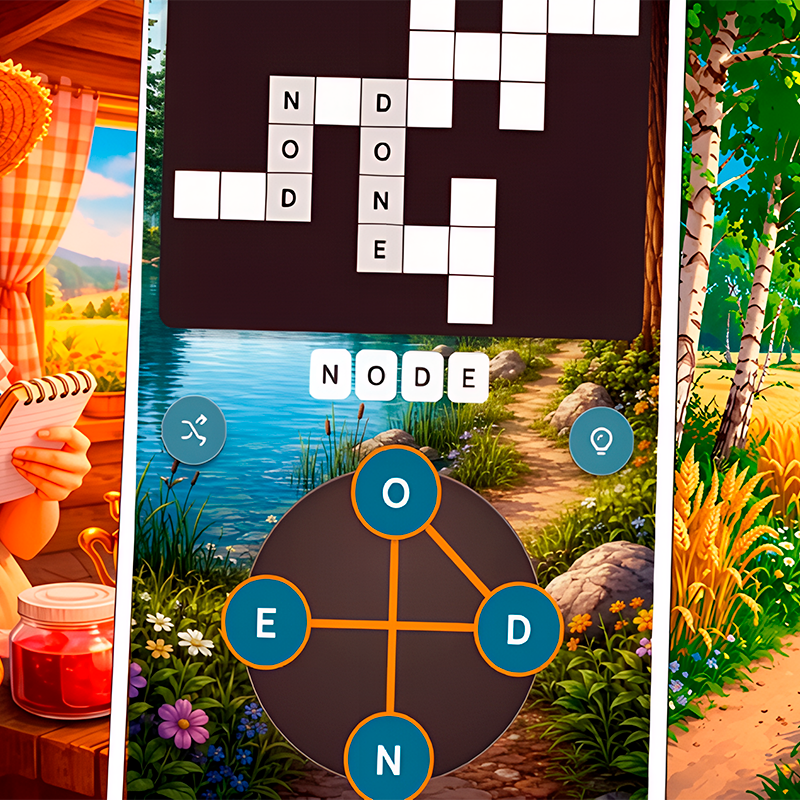
When you recognize a possible answer, press the first letter and drag through the remaining letters in sequence.
If Word Finder accepts the word as one of the required answers, the tiles are removed and the grid reacts to the completed match.
You do not need to type the answer on a keyboard. The puzzle is designed around continuous dragging or swiping through the grid.
Recheck the Grid After Every Word
This is the most important habit in Word Finder.
Once a word disappears, the remaining tiles shift and create a new layout. Do not keep searching as though the board were unchanged. Letter combinations that were separated before may now be next to each other.
Scan the entire puzzle again after each successful answer.
Find Every Required Word
Continue using the level theme and the new letter arrangements until all target words have been discovered.
After the list is complete, you can move to the next level and receive a new grid and theme.
The Shifting Grid Mechanic
The moving tiles are what make Word Finder different from a standard word-search puzzle.
In a normal word search, all letters stay in fixed positions. Once you inspect a row or corner, you generally know what is there for the rest of the puzzle.
That is not true here.
Every successful word changes the structure of the grid. Remaining tiles collapse and rearrange, potentially producing new connections between letters. This means the puzzle effectively has several board states within a single level.
The result is that finding a word is not only progress toward clearing the level. It can also be the action that makes another answer possible.
Bonus Words
You are not limited to finding only the words required by the theme.
Word Finder can recognize additional valid combinations as bonus words. These extra discoveries can reward you with coins, giving you a reason to test legitimate words even when they are not part of the main objective.
Bonus-word hunting is particularly useful when you can clearly see a valid English word but it does not match the current category.
However, the required themed words still determine whether you can finish the level.
Power-Ups
Word Finder includes several tools for situations where the next answer is difficult to see.
Spyglass
The Spyglass can reveal a letter and give you a starting point for the next solution.
It is useful when you understand the theme but cannot identify where a required word begins.
Light Bulb
The Light Bulb provides stronger assistance by revealing a complete word.
Because this removes much of the deduction needed for that answer, it is better saved for puzzles where repeated scanning has not helped.
Shuffle
The Shuffle option rearranges the grid and costs 50 coins.
This can be useful when the current tile arrangement is making it difficult to see a workable path. After shuffling, inspect the complete board again rather than looking only at the area where you were previously stuck.
Controls
| Action | Control |
|---|---|
| Start a word | Press or tap a letter |
| Connect letters | Swipe or drag across the letters |
| Complete a word | Release after the final letter |
| Use Spyglass | Click or tap the Spyglass button |
| Use Light Bulb | Click or tap the Light Bulb button |
| Shuffle letters | Click or tap Shuffle |
| Continue after a level | Click or tap Next |
On PC, Word Finder uses mouse dragging for its main word-building mechanic. On mobile devices, you can perform the same action by swiping with your finger.
Tips for Better Word Finder Play
Use the Theme Before Guessing
The category is not just decoration. It tells you what kind of vocabulary is hidden in the board.
Before swiping random combinations, think of several possible answers associated with the clue and then check whether their letters are available.
Look for Longer Words Early
Long words are often easier to recognize because their letter patterns are more distinctive.
They can also remove more tiles at once, causing a larger change to the board. After finding one, immediately inspect the new arrangement for shorter answers.
Never Ignore the New Layout
A common mistake in Word Finder is continuing to search the same area after the tiles have shifted.
Treat every successful match as the beginning of a new board. Scan the corners, edges, and center again because completely new letter connections may have appeared.
Check for Words Inside Longer Patterns
Short words can sometimes be hidden within the same letters you are considering for a longer answer.
If you spot a familiar sequence, consider several possible word lengths rather than focusing on only one solution.
Collect Bonus Words When You Notice Them
If you clearly recognize a valid extra word, it can be worth submitting it for additional coins.
You do not need to make bonus-word searching your main objective, but the rewards can help fund power-ups such as Shuffle later.
Use Power-Ups After Logical Searches
Before activating the Spyglass or Light Bulb, scan the board again using the level theme.
Power-ups are most valuable when the remaining word is genuinely difficult rather than simply overlooked.
Reconsider the Order of Words
Because the board changes after every answer, two players may reach different-looking grid states depending on which words they find first.
If a level feels awkward, focus on another visible answer. Removing that word may create the letter path you need.
Levels and Chapter Progression
Word Finder includes more than 6,000 levels, giving the game a long progression beyond its introductory puzzles.
Levels are organized into chapters, and completing groups of puzzles contributes toward chapter rewards. A gift-box progress indicator shows your movement toward these rewards.
The themes also help prevent every level from feeling identical. One board might ask you to think about animals, while another switches your vocabulary toward food, emotions, or another category.
Even when the basic swipe mechanic stays the same, the changing themes and shifting tiles require you to approach each puzzle with a fresh word list.
Why Players Keep Playing
Word Finder works well for players who enjoy spotting vocabulary patterns but want more movement than a traditional word-search grid provides.
The shifting tiles give each successful answer an immediate effect on the next part of the puzzle. You are not simply crossing words off a static list; you are repeatedly changing the board and adapting to the new arrangement.
The themed clues also make the search more focused. Instead of considering every English word, you can combine vocabulary knowledge with visual pattern recognition.
With short individual puzzles and thousands of levels, Word Finder is particularly suitable for players who like word searches, word-connect games, anagrams, and casual brain puzzles.
FAQ
How do you play Word Finder?
Swipe or drag across connected letters to form the themed words required by the current puzzle.
What happens after you find a word?
The completed letters disappear and the remaining tiles shift, creating a new grid arrangement.
How many levels does Word Finder have?
Word Finder includes more than 6,000 levels organized into a longer chapter-based progression.
Are there bonus words?
Yes. Valid words outside the required list can count as bonus words and provide extra coin rewards.
What power-ups are available?
Word Finder includes the Spyglass, Light Bulb, and Shuffle tools to help when you get stuck.
Can you play Word Finder online?
Yes. Word Finder can be played in a web browser on supported PC, Android, and iOS devices without installing a separate desktop game.