




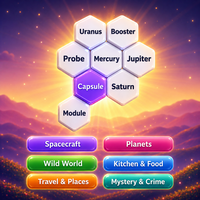
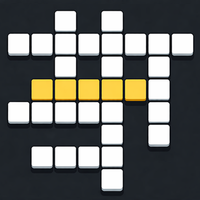

Play Word String online, connect letters to find themed words, manage reusable and single-use letters, and complete 50 vocabulary puzzles.
Here's a quick look at the game:
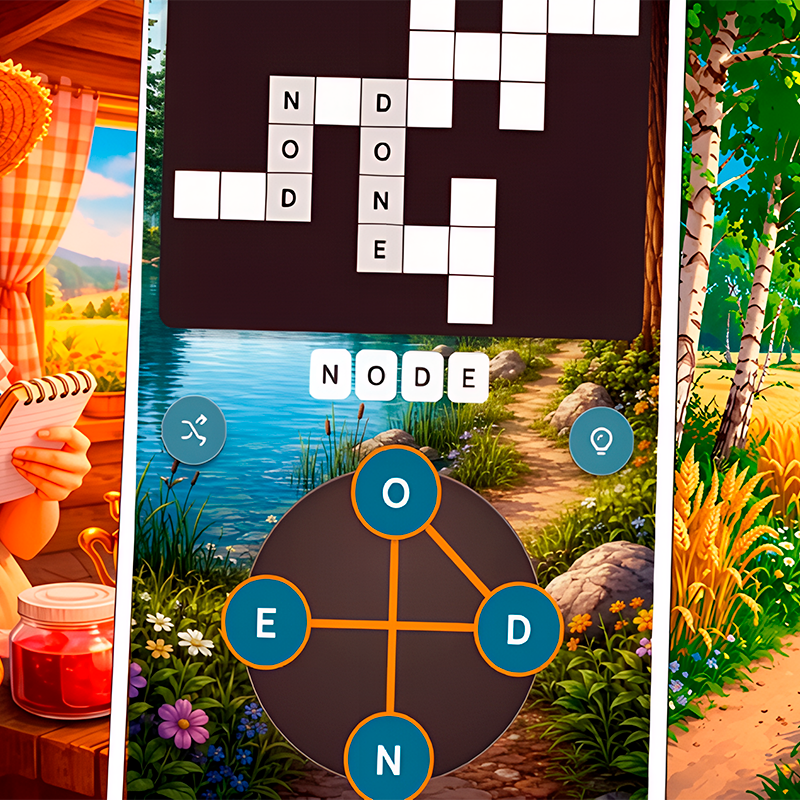
Word String is a casual word-finding puzzle where you connect letters to discover words that match each level's topic. The main twist is simple but important: circular letters can only be used once, while square letters can be reused, so you need to think about which letters you spend on each answer.
What is Word String?
Word String is a browser-based puzzle game created by FeatureKreep. It contains 50 themed levels, with topics such as seasons and country capitals. Instead of receiving an unrelated collection of letters, each level gives you a theme that helps narrow down the possible answers.
Your goal is to find all of the required words and complete the level. The vocabulary challenge is only one part of the puzzle. You also need to pay attention to the shape of each letter tile because that determines whether the letter disappears from your available choices or remains usable.
A circle letter can only be used once. Once you spend it on a word, you cannot rely on that same tile for another answer. A square letter can be used multiple times, making it much more flexible.
That small rule gives Word String its strategy. You may recognize a valid themed word immediately, but using the wrong circular letters too early can make the remaining words harder to identify.
Game Overview
| Feature | Details |
|---|---|
| Game | Word String |
| Developer | FeatureKreep |
| Genre | Puzzle, educational, word game |
| Main Goal | Connect letters and find all themed words |
| Levels | 50 |
| Level Structure | Each level has a specific topic |
| Key Mechanic | Circle letters are single-use; square letters are reusable |
| Controls | Mouse or touchscreen |
| Platform | HTML5 browser game |
| Engine | Construct |
| Language | English |
| Release | June 2025 |
| Multiplayer | Not clearly listed |
| Typical Session | A few minutes |
How to Play Word String
The basic objective in Word String is to study the available letters, think about the current theme, and connect letters to form the words required by the puzzle.
There are only two core letter rules to remember, but they affect almost every decision you make.
Identify the Level Theme
Start by checking the topic of the current Word String level.
The theme is one of your strongest clues. If the level is based on seasons, for example, you can immediately begin thinking about vocabulary connected to spring, summer, autumn, and winter. A country-capital level requires a completely different set of words.
Do not ignore the theme and try random combinations. Use it to create a mental list of possible answers before spending important letters.
Connect Letters to Find Words
Use the available letters to build a word that fits the topic.
Word String supports mouse and touchscreen input, so you interact directly with the letters shown in the puzzle. Continue finding valid words until you have completed everything required for that level.
The game includes an interactive tutorial, so the basic input is introduced when you begin playing.
Understand Circle Letters
Circle letters can only be used once.
These are the letters you should manage most carefully in Word String. If several possible words need the same circular letter, choosing one answer may affect your options for another.
Before committing a scarce circle letter, look at the entire puzzle and consider which themed words might still be missing.
A word being valid does not always mean it is the smartest word to build first.
Use Square Letters More Freely
Square letters can be used multiple times.
These reusable tiles give you more freedom. If several answers share a common letter and that character appears on a square tile, you do not need to protect it in the same way as a circle tile.
This difference between reusable and single-use letters is the central mechanic of Word String.
When you get stuck, check whether you have been thinking of every tile as a one-time resource. A reusable square may allow a letter to appear across several different answers.
Complete All Required Words
Continue connecting letters until you finish the level.
Word String includes 50 levels, and each one changes the vocabulary by introducing a different topic. This means solving one puzzle does not simply teach you a fixed list of combinations for the next one.
As the topics change, you need to switch between vocabulary knowledge, spelling, and resource management.
Controls
Word String is designed around simple mouse and touchscreen input.
| Action | Control |
|---|---|
| Interact with letters on PC | Mouse |
| Interact with letters on mobile or tablet | Touchscreen |
| Form words | Select and connect the required letters |
| Learn the basic rules | Follow the interactive tutorial |
There are no complicated movement controls to learn. The important part is understanding what the letter shapes mean before you start building words.
Circle vs Square Letters
The easiest way to improve at Word String is to treat the two tile types differently.
| Letter Type | Rule | How to Treat It |
|---|---|---|
| Circle | Can only be used once | Plan before using it |
| Square | Can be used multiple times | Use it more freely |
This distinction can change the order in which you solve a level.
Suppose you can see two possible themed words and both require the same letter. If that letter comes from a square, there is little reason to worry because you can reuse it. If it is a circle, you should check whether another combination of available letters lets you build both answers without wasting a limited tile.
Word String therefore rewards planning even though its rules are minimal.
Tips for Word String
Think About the Theme Before the Letters
Do not begin by staring at every possible letter combination.
First create a small list of words that could belong to the displayed topic. Then compare those ideas with the available letters. This is usually more efficient than trying to discover vocabulary without context.
Protect Circle Letters
Circle letters are your limited resources.
If a circle could fit several possible answers, avoid spending it until you understand more of the level. Start with words that have clearer letter combinations or rely heavily on reusable squares.
Take Advantage of Square Letters
Square tiles are meant to be reused.
When several possible words contain the same common character, check whether its tile is square. If it is, you can include that character repeatedly instead of searching for another copy.
Solve the Obvious Words First—But Check Their Cost
An obvious answer can help reduce the number of possibilities in a Word String level.
Before selecting it, however, inspect the circle letters it requires. If the word consumes several useful single-use characters, another solution order may be safer.
Use Word Length and Spelling Patterns
If you know the topic but cannot find an answer, think about common spelling patterns.
Prefixes, endings, repeated vowels, and familiar consonant combinations can help turn a vague idea into a recognizable word. This is especially useful when the theme suggests several related answers.
Reconsider Your Vocabulary When Stuck
Sometimes the problem is not the letter arrangement. You may simply be thinking of the wrong words for the theme.
Return to the topic and consider less obvious examples. A broad category can contain vocabulary that does not immediately come to mind, and Word String uses its themes as an important part of the challenge.
What Makes Word String Different?
The defining feature of Word String is not a huge collection of special abilities or complicated game modes. It is the distinction between temporary and reusable letters.
Many word puzzles simply ask whether you can discover a valid word from a collection of characters. Word String adds another question: should you use those particular letters for that word right now?
The 50 themed levels also give you useful context. You are not blindly searching through a dictionary. Knowing the topic lets you use general knowledge alongside spelling and pattern recognition.
Because the game is designed for short sessions and uses only mouse or touch input, it is easy to start a level without learning a large control scheme.
Who Should Play Word String?
Word String is a good match if you enjoy vocabulary puzzles but prefer clear rules and short levels.
It can also be useful for English learners who want to practice recognizing and spelling words in different categories. The themes provide context, which can make unfamiliar vocabulary easier to organize than a completely random word list.
More experienced word-game players can focus on efficiency. Instead of simply finding an answer, you can think about how to preserve circle letters and make better use of reusable squares.
The result is a small puzzle game where the rules stay easy to remember while the vocabulary changes from level to level.
FAQ
What is the goal of Word String?
The goal is to connect letters, find the words associated with each level's theme, and complete all 50 levels.
How many levels are in Word String?
Word String contains 50 themed levels.
What do circle letters do?
Circle letters can only be used once, so you need to choose carefully where you use them.
What do square letters do?
Square letters can be reused multiple times when forming words.
Can I play Word String online?
Yes. Word String is an HTML5 browser game and can be played online.
Can I play Word String on a touchscreen?
Yes. Word String supports both mouse and touchscreen input.
Who developed Word String?
Word String was created by FeatureKreep and released as a browser game in June 2025.