





Play Word Search: Offline Puzzle, a relaxing word game where you connect neighboring letters, uncover hidden words, use hints, and clear every grid.
Here's a quick look at the game:
What Is Word Search: Offline Puzzle?
Word Search: Offline Puzzle is a word-finding game that changes one important rule of the traditional word-search format. Instead of searching only for words written in straight horizontal, vertical, or diagonal lines, you drag through connected letters, and the path can turn around corners as you spell a word.
Each puzzle presents a grid of letter tiles along with words hidden inside it. Every letter on the board belongs to a word, so your objective is to identify all of the correct letter paths until the entire grid has been solved.
There is no timer pushing you to make quick decisions. You can inspect the board, test possible connections, and work through harder puzzles at your own pace. Hundreds of handcrafted levels gradually increase the challenge as you progress.
How to Play Word Search: Offline Puzzle
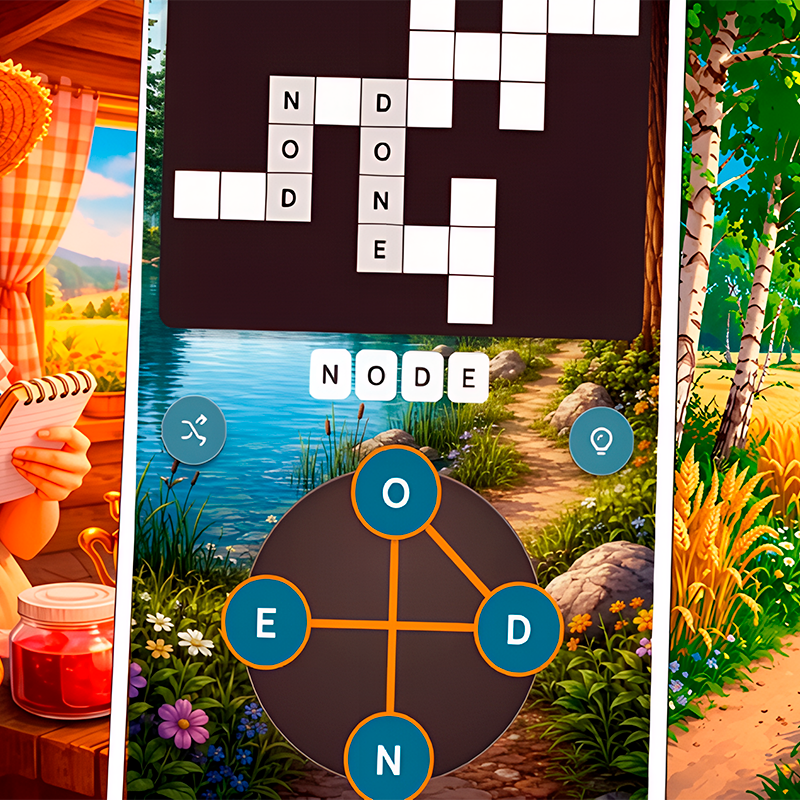
To find a word, press or tap its first letter and drag across neighboring letters in the correct order. Keep holding while you trace the complete word, then release to submit your selection.
If the word is correct, its tiles are marked with a color and remain solved on the board. If your selection is incorrect, you can simply try another path. A wrong attempt does not remove completed words or end the puzzle.
The major difference from a standard word search is that your path can change direction. A word might begin by moving downward, turn to the side, and continue through another group of adjacent tiles. When you cannot see a listed word in a straight line, start looking for possible corners instead.
Find every hidden word to complete the board and move to the next level.
Controls
| Action | PC | Mobile |
|---|---|---|
| Start a word | Click a letter | Touch a letter |
| Connect letters | Click and drag | Tap and drag |
| Submit a word | Release mouse button | Release your finger |
| View a solved word's meaning | Click the solved word | Tap the solved word |
| Get help | Use the Hint button | Use the Hint button |
The game does not require keyboard controls. On desktop, almost everything is handled with the mouse, while phones and tablets use the same drag-based interaction through touch controls.
Words Can Bend Around Corners
The corner-turning mechanic is what makes Word Search: Offline Puzzle different from a classic printed word search. You should think of the board as a collection of connected letter tiles rather than rows of straight hidden words.
For example, the first few letters of a word might sit next to each other vertically before the remaining letters continue horizontally. This means scanning each row from left to right will not reveal every answer.
When looking for a difficult word, begin with its first letter and check the neighboring tiles for the second letter. From there, continue one letter at a time instead of trying to recognize the entire word immediately.
Fill the Entire Letter Grid
Every tile has a purpose. All letters on the board are part of the hidden words, so solved areas also provide useful information about what remains.
As correct words become colored, the number of possible routes through the unsolved letters decreases. This can make the final words easier to identify even when they looked confusing at the beginning of the level.
If you get stuck, concentrate on isolated groups of remaining letters. A small cluster may reveal the beginning or ending of one of the words you still need to find.
Hints and Word Meanings
Word Search: Offline Puzzle includes a hint system for puzzles where you cannot determine the next connection. A Hint can reveal a letter, giving you a starting point without automatically solving the entire board.
Hints are particularly useful when several possible paths begin with the same letter. Once you know one confirmed position, you can work outward through neighboring tiles and try to reconstruct the rest of the word yourself.
You can also select a word you have already solved to view its meaning. This gives the word-finding mechanic an additional vocabulary element, especially when a puzzle includes an unfamiliar term.
Evolution Progression
Completing levels moves you through an unusual evolution-themed progression system. The sequence begins with basic stages such as atom and molecule, then continues through forms including cell, fish, dinosaur, and human before eventually reaching mind.
The evolution ladder provides a visible sense of progress beyond simply moving from one numbered puzzle to another. As you advance, the word grids also become more challenging, requiring closer attention to possible letter connections and turns.
Tips for Solving Harder Puzzles
- Do not search only in straight lines. Hidden words can turn around corners.
- Start with distinctive letters. An uncommon first letter can narrow down the possible starting positions quickly.
- Work one letter at a time. Follow neighboring tiles in the same order as the word you are trying to find.
- Use solved tiles as clues. The remaining uncolored letters reduce the number of possible answers.
- Try a route even when you are unsure. Incorrect selections do not penalize your progress.
- Use hints when a board stops moving forward. A revealed letter can be enough to uncover the correct path.
- Check unfamiliar words after solving them. Tapping or clicking a completed word lets you see its meaning.
Word Search: Offline Puzzle keeps its interaction simple, but the ability to bend words through the grid makes later puzzles more involved than a conventional word search. Trace connected letters carefully, use the remaining tiles to narrow your choices, and complete every hidden word to continue climbing the evolution ladder.