




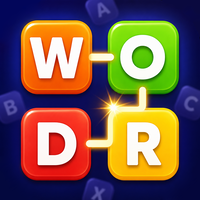
Play Word Chef online, connect scrambled letters into valid words, clear 500+ levels, and work through six difficulty settings from Beginner to Expert.
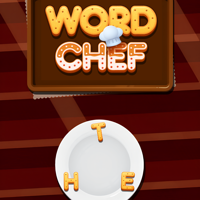
Here's a quick look at the game:
Word Chef is a browser-based word puzzle where you connect scrambled letters to create valid words. Each level gives you a new letter arrangement, and your goal is to find the required words before moving on. With more than 500 levels and six difficulty settings, Word Chef starts with straightforward vocabulary and gradually asks you to recognize less obvious combinations.
What Is Word Chef?
Word Chef is a word-search and word-connect game developed by Obumo Games. The browser version was released in March 2022 and uses a simple drag-to-spell system instead of keyboard typing.
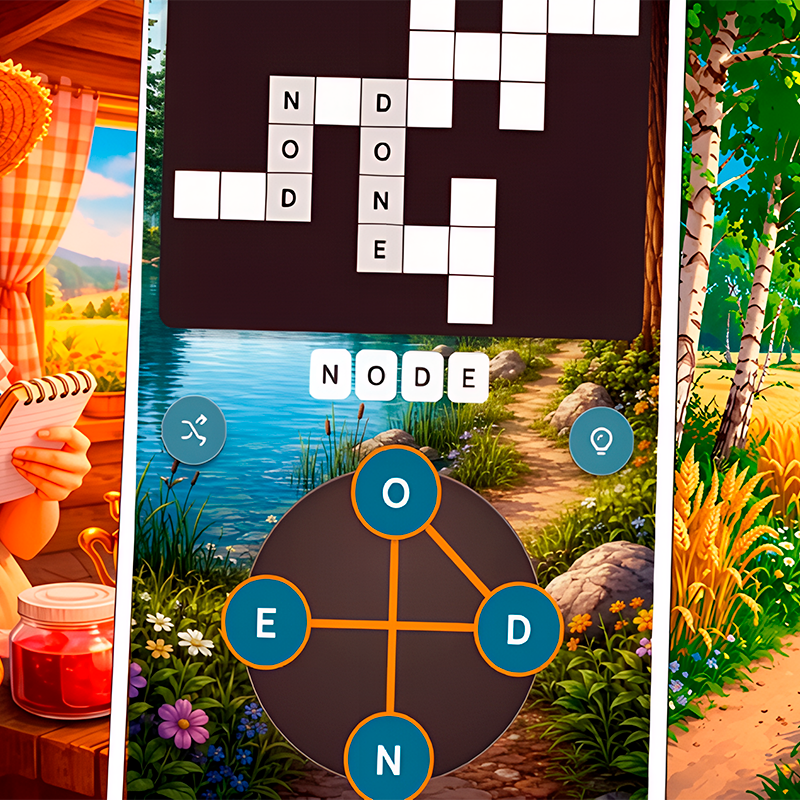
You begin with a group of scrambled letters. Hold the left mouse button and drag across the letters in the order needed to spell a word. If the combination is valid for the puzzle, Word Chef accepts it and adds it to your completed words.
The main challenge comes from recognizing several different words that can be made from the same small collection of letters. A combination that looks obvious in one order may contain several additional words once you rearrange it mentally.
Word Chef includes six difficulty settings ranging from Beginner to Expert and more than 500 levels, giving you room to move from basic word recognition into harder anagram-style puzzles.
How to Play Word Chef
The basic Word Chef rules take only a few seconds to understand. The difficulty comes from seeing every possible word hidden inside the available letters.
At the start of a puzzle, examine the letters before dragging immediately. Look for familiar combinations, short words, common prefixes, and endings. When you spot a possible answer, connect the letters in sequence.
Connect the Letters
To create a word in Word Chef, click the first letter with the left mouse button, keep holding the button, and drag through the remaining letters in the correct order.
Release after reaching the final letter.
You do not need to type the answer on the keyboard. The path you draw determines the word you submit.
This means accuracy matters. If you intend to spell one word but accidentally pass over the wrong letter, the combination will not match your intended answer.
Find the Required Words
A single group of letters can usually produce multiple answers.
For example, if a puzzle gives you several common vowels and consonants, do not stop after recognizing the first obvious word. Word Chef expects you to continue experimenting until you have discovered the required combinations for that level.
Once the necessary words have been found, you can progress to the next puzzle.
Rearrange the Letters Mentally
The letters themselves stay visible, but you need to stop thinking of them in their displayed order.
Suppose you see:
T – A – E – R
You might immediately notice one combination but overlook another because your eyes keep reading the letters from the same starting point.
Instead, start mentally from each letter in turn. Try T first, then A, then E, then R. This simple technique helps you discover words that were difficult to see at first.
Word Chef Difficulty Levels
Word Chef contains six difficulty settings, beginning at Beginner and progressing to Expert.
The lower difficulties are useful for learning the basic connection mechanic and recognizing common vocabulary. As you move upward, the puzzles demand stronger word recognition and more careful examination of the same letter groups.
The controls do not become more complicated as Word Chef gets harder. You still drag through letters in exactly the same way.
Instead, difficulty comes from the words themselves. The obvious answers become less useful, and you need to spot combinations that are easier to miss.
This makes progression straightforward: your mechanical skill changes very little, but your ability to recognize words improves.
Controls
Word Chef uses mouse-based controls in its browser version.
| Action | Control |
|---|---|
| Start a word | Hold the left mouse button on a letter |
| Connect letters | Drag across letters |
| Finish a word | Release the left mouse button |
| Select menus | Left mouse click |
There are no WASD movement controls, arrow-key commands, or action buttons to memorize.
The entire Word Chef puzzle loop is built around dragging through letters, so you can start solving immediately.
Tips for Word Chef
1. Find Short Words First
When a new Word Chef puzzle appears, start by looking for simple three- or four-letter combinations.
Short words are usually easier to recognize, and identifying them can help you become familiar with the letter set before searching for longer answers.
Do not assume that the longest possible word should always be your first target.
2. Change Your Starting Letter
One of the easiest ways to get stuck in Word Chef is repeatedly looking at the letters from the same direction.
If you keep thinking of the same incorrect combinations, deliberately start with another letter.
For example, if you have spent a minute trying words beginning with S, switch to a vowel or another consonant. A different starting point can reveal a word almost immediately.
3. Look for Common Endings
English word patterns can reduce the amount of guessing you need.
When the correct letters are available, check for endings such as:
- -ER
- -ED
- -ING
- -LY
- -S
- -ES
Word Chef is still about finding complete valid words, so an ending does not guarantee the answer. It simply gives you a useful structure to test.
4. Check Common Beginnings
Prefixes and familiar starting combinations can help in the same way.
Look for patterns such as RE-, UN-, IN-, or ST- when the necessary letters appear.
Even when they do not produce the final answer, testing familiar patterns can help you notice other combinations.
5. Do Not Keep Repeating Failed Words
If Word Chef rejects a combination or it does not complete one of the required words, repeating it will not change the puzzle.
Move on to another possible arrangement.
Players often lose time because they become convinced one particular word must be correct. Treat every failed attempt as information and test a different pattern.
6. Say the Letters in a Different Order
When a puzzle becomes difficult, read the available letters aloud in several arrangements.
Changing the order can break the visual pattern your brain has become used to seeing.
This is particularly useful in harder Word Chef levels, where the answer may be a perfectly familiar word that simply does not stand out in the original scramble.
7. Look Away From the Puzzle Briefly
Word puzzles can create a form of visual fixation. After staring at the same letters for too long, you repeatedly see the same combinations.
Returning to Word Chef with fresh eyes often makes a previously hidden word much easier to recognize.
8. Drag Carefully
Finding the correct answer mentally is only part of the process.
Make sure your mouse actually passes through the letters in the intended sequence. Dragging too quickly can cause you to miss a letter or connect an unintended one.
On difficult levels, a slower, deliberate drag is usually more reliable.
How Word Chef Gets Harder
The progression in Word Chef is based on vocabulary rather than reflexes.
Beginner puzzles make it easier to identify possible words from the available letters. As you move toward Expert difficulty, solutions become harder to notice and you may need to test many more rearrangements.
The important skill is not simply knowing unusual words. Pattern recognition matters just as much.
You gradually learn to notice:
- common letter pairs;
- vowels that can connect several consonants;
- likely beginnings and endings;
- shorter words hidden inside longer combinations;
- alternate arrangements of the same letters.
After enough Word Chef levels, you may begin spotting these structures before you consciously identify the full word.
More Than 500 Levels
Word Chef includes more than 500 puzzles across its six difficulty settings.
That large level count gives the game a clear progression structure. You can begin with easier challenges, become familiar with the drag controls, and then move toward more demanding word combinations.
Because every level uses the same basic interaction, you do not need to relearn the game when the difficulty changes.
The challenge stays focused on vocabulary and anagram recognition.
Can You Play Word Chef Online?
Yes. Word Chef is available as a web-browser game and does not require you to learn a separate desktop control scheme beyond using the mouse.
The confirmed browser release is designed for desktop play. Hold the left mouse button and drag across the letters to form your answer.
Word Chef was developed with Unity and runs through the browser, making it easy to move directly from the game page into the first puzzle.
Who Should Play Word Chef?
Word Chef is a good match for players who enjoy anagrams, word searches, spelling challenges, and games based on recognizing vocabulary from limited letters.
You do not need quick reactions or precise timing. Most of your time is spent examining the scramble and deciding which word to try next.
It also works well for short sessions. You can complete a few Word Chef levels when you have a spare moment, or continue through a larger set of puzzles when you want a longer vocabulary challenge.
Players who enjoy steadily increasing difficulty will get the most from moving through the six settings toward Expert.
Why Word Chef Works as a Word Puzzle
Word Chef keeps the rules consistent while gradually making the vocabulary challenge harder.
Every level follows the same basic loop:
look at the letters → recognize a word → drag through the letters → find the remaining words → complete the level.
That simplicity means there is very little between you and the actual puzzle.
The more you play Word Chef, the better you become at recognizing patterns inside scrambled letters. A set that initially looks random begins to reveal prefixes, endings, short words, and possible anagrams.
With over 500 levels available, there is enough progression to keep testing that skill without introducing unnecessary mechanics.
FAQ
What is Word Chef?
Word Chef is a single-player word puzzle by Obumo Games where you connect scrambled letters to create valid words.
How do you play Word Chef?
Hold the left mouse button and drag through letters in the correct order to build words required by each puzzle.
How many levels are in Word Chef?
Word Chef contains more than 500 levels.
How many difficulty settings does Word Chef have?
There are six difficulty settings, ranging from Beginner to Expert.
Can I play Word Chef online?
Yes. Word Chef has a web-browser version designed for desktop computers.
Who developed Word Chef?
Word Chef was developed by Obumo Games.
When was Word Chef released?
The browser version of Word Chef was released in March 2022.
Does Word Chef require keyboard controls?
No. The main gameplay uses the mouse: hold the left button and drag across letters to form a word.